Every week in my clinic and on my hospital rounds, I meet patients in their 20s, 30s, and 40s presenting with the exact same symptoms: persistent neck stiffness, radiating shoulder pain, chronic lower back aches, and recurring tension headaches.
When we look at their MRI scans, the culprit is rarely a sudden traumatic injury. Instead, it is the quiet, cumulative wear and tear of spending 8 to 12 hours a day hunching over laptops, leaning into smartphone screens, or sitting in poorly designed chairs.
Whether you are navigating long desk hours in IT hubs like Bengaluru or running a business in Tier two cities, or managing a high-stress remote workflow, your spine bears the brunt of modern working life.
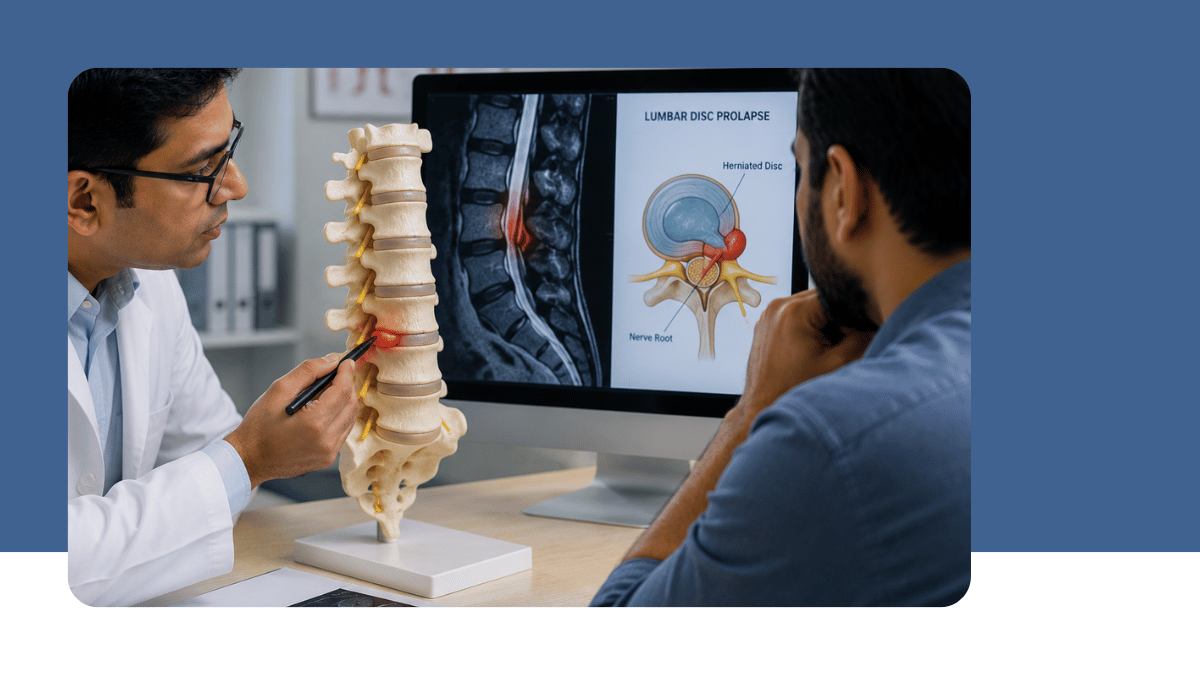
As a neurosurgeon, I can tell you that prevention and early ergonomic intervention are far more effective and far less painful than treating advanced disc prolapses or nerve compressions down the line.
Here is my practical guide to setting up a spine-friendly workspace tailored for our everyday lifestyle.
1. What Happens to Your Spine When You Hunch?
To understand why ergonomics matters, consider the mechanics of your neck (cervical spine) and lower back (lumbar spine).
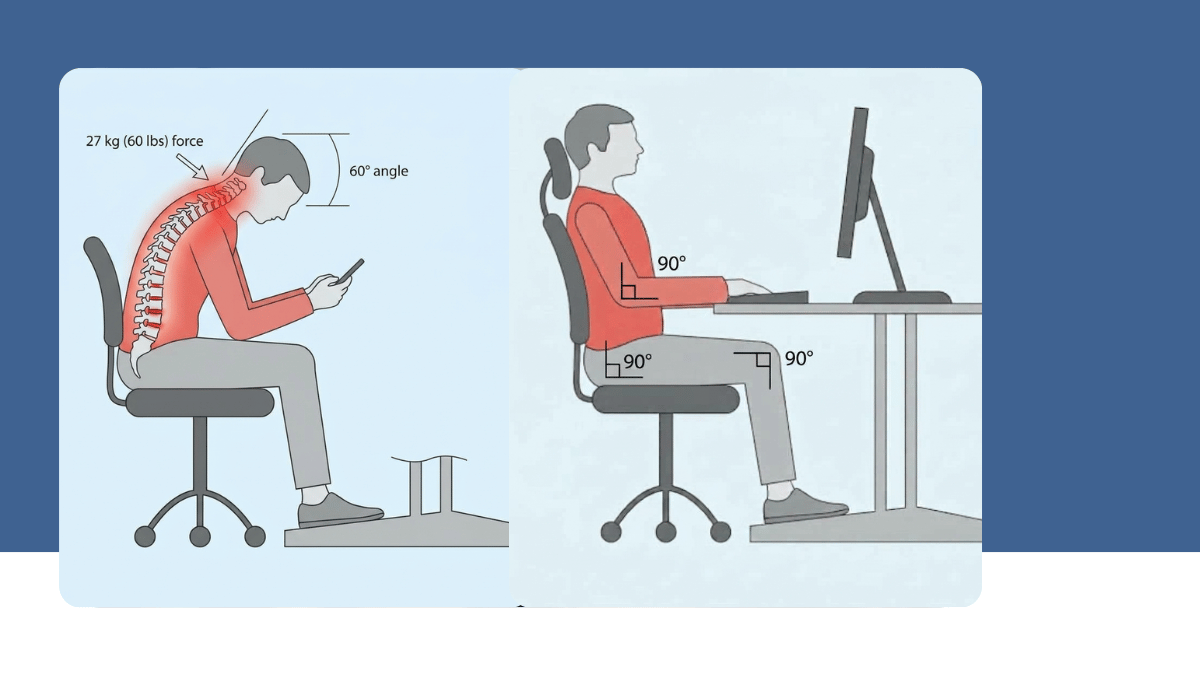
- The 27-Kg Neck Strain: In a neutral position, your head weighs roughly 5 kg. But when you tilt your head forward by 60 degrees to look at a phone or low laptop screen, the effective force on your neck increases to nearly 27 kg. Over months and years, this constant strain overworks your neck muscles and accelerates wear on your intervertebral discs—a condition commonly known as Tech Neck.
- Flattening the Lumbar Curve: Your lower back has a natural inward curve (lordosis) that distributes upper-body weight evenly. Slouching in a chair flattens this curve, dramatically increasing pressure on your lumbar discs and increasing the risk of herniation. (Figure 1)
2. The Golden Rule of Neutral Alignment: "90-90-90"
Before buying new furniture, focus on how your body interacts with your current desk. Aim for a neutral spine alignment, where your joints rest naturally without constant muscle exertion.
- Elbows: Should rest comfortably at a 90° to 100° angle on your desk or armrests. Keep your wrists level while typing—avoid flexing them upward or resting them heavily on hard desk edges.
- Hips & Knees: Maintain a 90° bend at your hips and knees, keeping your thighs parallel to the floor.
- Feet Flat on the Floor: Both feet must sit flat on the ground to stabilize your pelvis and relieve stress from your lower back.
Clinical Tip for Indian Workspaces: If your desk or dining table is too tall and your feet dangle, do not leave them unsupported. Use a solid wooden block or a firm footrest under your feet to restore pelvic stability. (Figure 2)
3. Selecting the Right Chair: What a Neurosurgeon Looks For
You don't necessarily need the most expensive high-end designer chair, but your seat must support your natural spinal anatomy.
- Adjustable Lumbar Support: Ensure the chair has a contour or adjustable pad that sits snugly into the small of your lower back, right above your waistline.
- Breathable Mesh Backing: High-tension mesh promotes air circulation—essential for our local climate—while maintaining consistent spinal alignment.
- Dynamic Recline (100°–110°): Sitting at a rigid 90-degree right angle places higher compression forces on your spinal discs than sitting at a gentle 100° to 110° recline. Choose a chair that allows slight, supported backward movement.
4. Fixing Screen Height: Save Your Neck
If you use a laptop directly on a flat table, you are forcing your neck into continuous forward flexion.
- Eye-Level Display: The top third of your monitor should align with your horizontal line of sight when sitting upright, positioned roughly an arm's length (20 to 30 inches) away.
- Separate Keyboard & Mouse: If you work on a laptop, elevate it using a dedicated stand or a stack of books, and connect an external keyboard and mouse. Never type directly on an elevated laptop—it creates severe strain on your shoulders and forearms.
5. Movement is Medicine: The Best Posture is Your Next Posture
Even with an ideal chair and desk, the human spine was not built for prolonged immobility. Static loading reduces blood flow and nutrients to your spinal discs.
- The 45/15 Pattern: Aim to sit for 45 minutes and stand or walk for 15 minutes every hour.
- Sit-Stand Options: Consider a height-adjustable desk or a tabletop converter to alternate positions throughout your workday.
- Micro-Stretches at Your Desk:
- Chin Tucks: Pull your chin straight backward (as if forming a double chin) without tilting your head down. Hold for 3 seconds and release. Repeat 5 times to decompress cervical spine joints.
- Shoulder Blade Squeezes: Pull your shoulders back and squeeze your shoulder blades together for 5 seconds to counteract forward rounding.
- Seated Extension: Place your hands on your lower back while seated, gently arch your back, and look upward toward the ceiling for a few deep breaths.
Take Action Today
Spinal health is built through small, consistent daily choices. You don't need to rebuild your entire office setup overnight. Start today by elevating your screen to eye level, adding lumbar support to your chair, and taking brief movement breaks every hour.
Your spine supports you every single day—invest a little time in supporting it back.
Found this guide helpful? Save it, share it with family and colleagues who spend long hours at a desk, or drop a comment with your posture questions.



Comments
No comments yet.
Leave a comment
Sign in with Google to comment. Your comment appears after the doctor approves it.